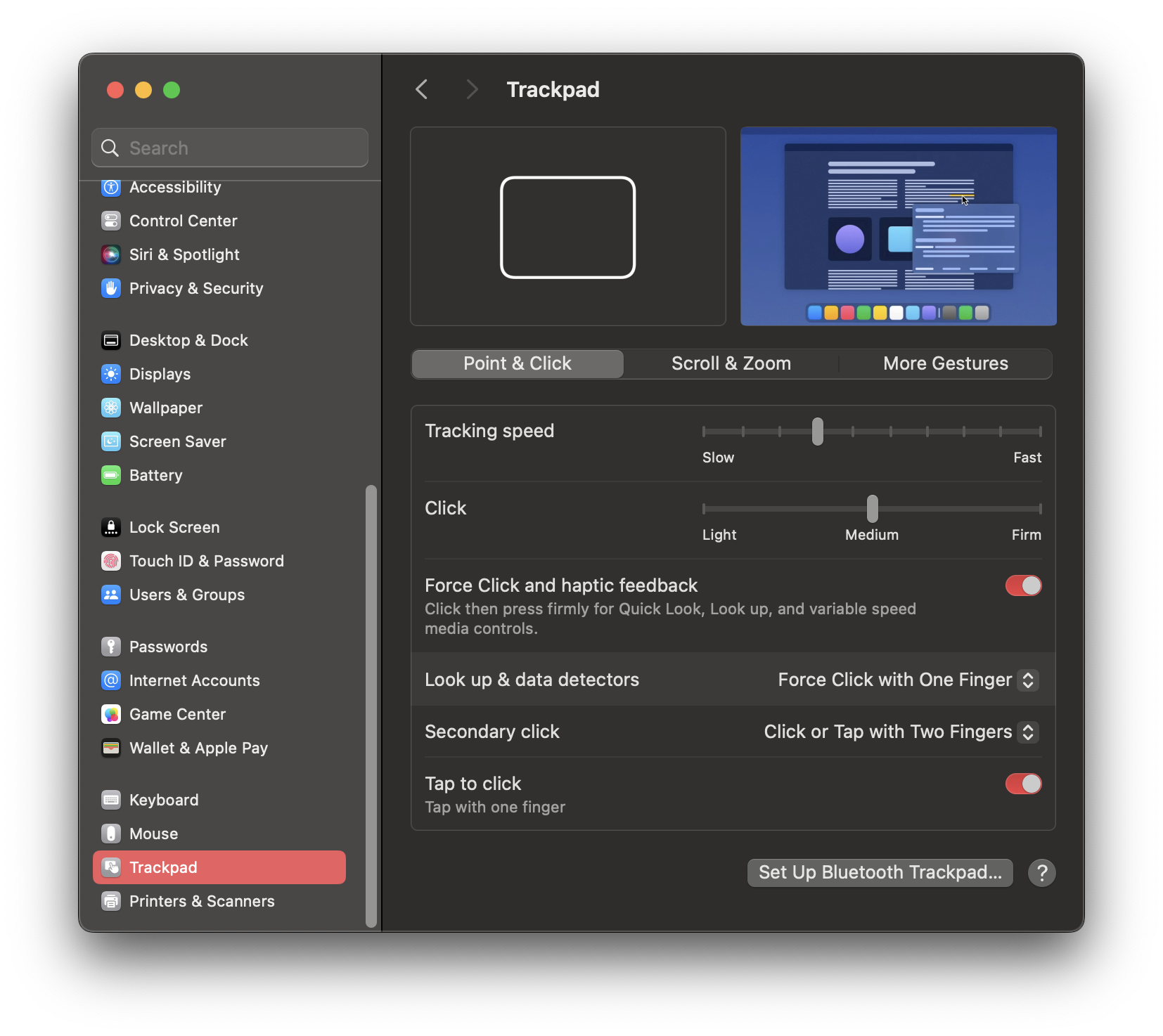
Tap to Click
Trackpad → Point & Click
Some preferences are manual because Apple still puts them behind UI panels.
The rest are scriptable and live in scripts/apply-macos-defaults.sh.
This setup keeps Tap to Click and three-finger drag, speeds up Dock autohide, expands Launchpad to 10x8, and keeps App Expose turned off.
These still need actual clicks in System Settings.
These are already wrapped in a script for day-one setup and restore.
./scripts/apply-macos-defaults.sh
./scripts/apply-macos-defaults.sh --restore
Keeping the images nearby makes the manual path faster when the UI changes names slightly.
Trackpad → Point & Click
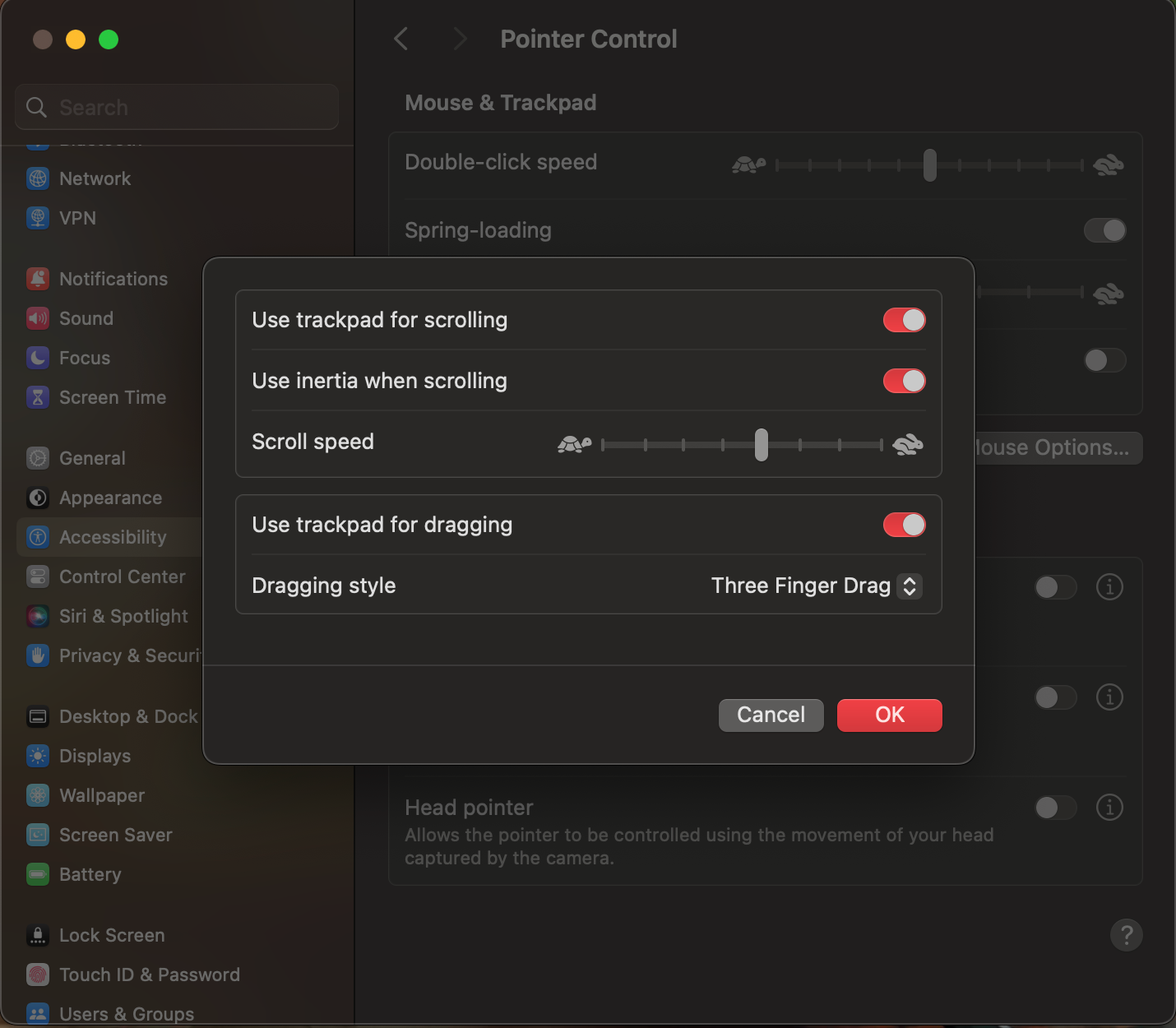
Accessibility → Pointer Control → Trackpad Options
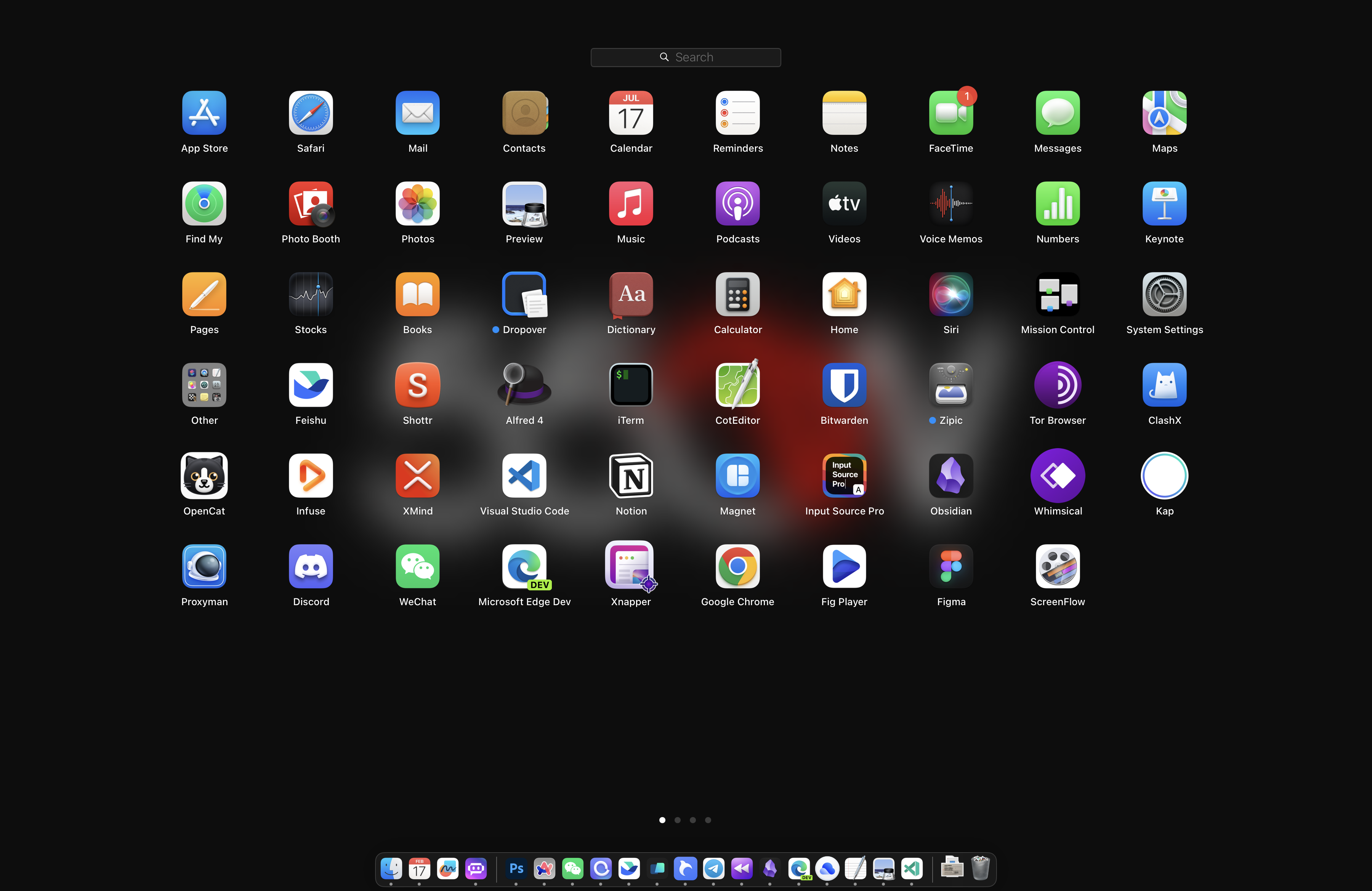
Reference view after the Dock restart.
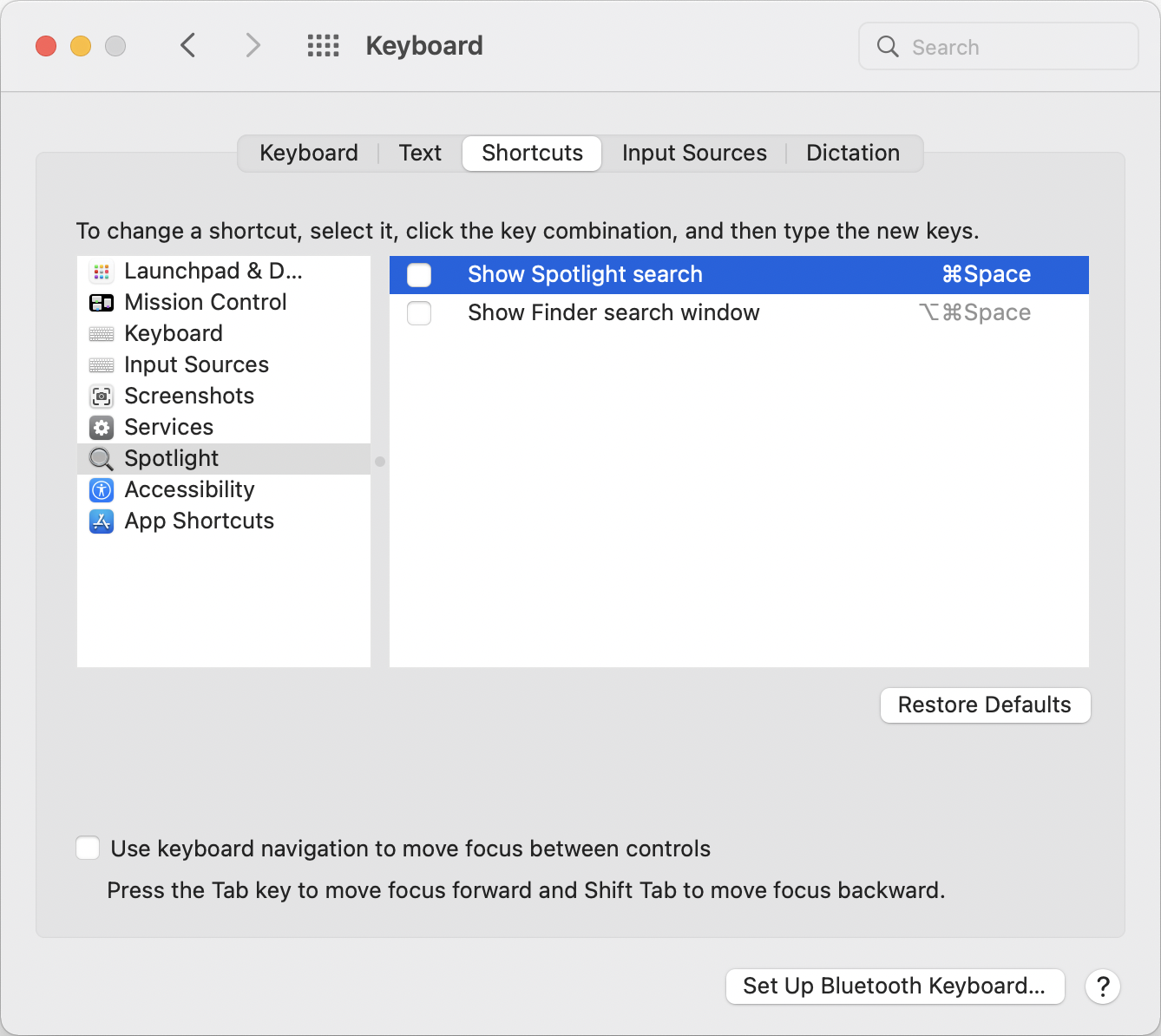
Disable Spotlight if Keyboard Maestro is taking the launcher shortcut.